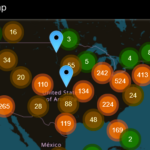
🛠Community Mesh Ed: How to put your Meshtastic device on the map via MQTT
ABSTRACT: Putting your mesh device on a public map (like Meshtastic MeshMap or local mesh servers) using MQTT involves enabling the MQTT module and configuring uplink reporting.
MESH ED LINKS
Enable MQTT & Network Connections – Meshtastic.org
How To Get My Node On The Map – Meshmap.net
MQTT | Integrations Overview Public MQTT Server – Meshtastic.org
COMMUNITY MQTT TIPS:
Meshtastic MQTT Setup: Bridge Your Mesh to the Internet (Link) by Nodak Mesh
Enabling Internet Messaging & MeshMap Position Sharing in Meshtastic (Link) by BuffaLoRa.org
Put your Meshtastic device on the map via MQTT (Link) – by Gulf Coast Mesh
MQTT Bridge Setup (Link) by PhillyMesh
VIDEO: How-to configure MQTT on Meshtastic (Link)
VIDEO: Meshtastic MQTT: Talk Globally Beyond LoRa Range (Link)
VIDEO: Here’s How. (easy MQTT) (Link)
Others….


Leave a Reply