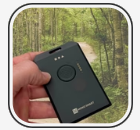
Profile
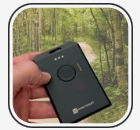
Profile: 05c6 WisMesh Tag
Email Alias: [email protected]
🛈 Step-by-Step Connect & Go: Easy Setup Meshtastic!
🛠 Meshmap.net: (example !6985563c )
About Meshtastic: Video 1 | Video 2 | Video 3
Download App: Google Play | Apple Store | F-Droid | Others Apps
Tutorials: Mesh101
*******************************
Add your Node or a Network or a Community / Contact [email protected]
MENU+: Home | Mesh101 | Interactive Maps | Range Maps | Sponsored Nodes | Meshtastic: Nodes – Networks – Communities | MeshCore: Nodes – Networks – Communities | Reticulum: Nodes – Networks – Communities | LoRa: Nodes – Networks – Communities | Add Node Listing | Add Network Listing | Blog | more |
ROKland WisMesh Tag (link)
WisMesh Tag Video
🛈 How to Get Started with WisMesh Tag
- WisMesh Tag First Steps
- WisMesh Tag Overview
- WisMesh Tag Quick Start Guide
- Meshtastic Generic Device Setup Guide
- WisMesh Tag Certifications (CE and FCC)
🛠 Flashing the WisMesh Tag Firmware:
The WisMesh Tag comes pre-flashed with the Meshtastic firmware. If you encounter problems, update the Meshtastic firmware to the latest version.
- Guide to flash nRF52 devices (link goes to Meshtastic.org)
For the setup of the WisMesh Tag for the Meshtastic network, follow the configuration guide in the Meshtastic documentation.
Setup Meshtastic App: Video 1 | Video 2
************************
*