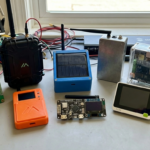
A practical Mesh LoRa radio tutorial and user guide that includes a clear outline index, step-by-step setup, and a curated list of official and instructional resources for Meshtastic users.
Syllabus Links: What is a Mesh? | What you need | Hardware choice | Flashing firmware | Connecting and configuring | Troubleshooting | Common issues and fixes | Bluetooth and app issues | Firmware problems | How channels work | MQTT Meshtastic | MQTT integration | MQTT Setup Guide | Self-hosted MQTT broker setup | Instructional videos | Community tutorials | [ Get Started ]
Outline Index
- What is a Mesh?
- What you need to get started.
- Choosing supported hardware.
- Safety checks before powering on.
- Flashing the firmware.
- Connecting your phone or computer.
- Basic configuration.
- Sending your first message.
- Roles, channels, and mesh behavior.
- Troubleshooting and next steps. [🛠 Advanced MQTT Meshtastic ]
- Helpful articles and videos.
[ Get Started ]
Mesh Community Tutorial Resources
Iowa Mesh | ChicagoLandMesh | NC Mesh | WPAmesh | NoCo Mesh | Colorado Mesh | Bay Area Group | Cascadia Mesh | Louisiana Mesh | Kansas City Meshtastic | Jax Mesh | Florida Mesh |
ADVANCED SETUP & CONFIGURATION – Meshtastic
Meshtastic MQTT works as a bridge between your LoRa mesh and an internet MQTT broker, and channel settings decide which traffic gets forwarded. MQTT Guide


Leave a Reply